git lol[a] - git trees in the terminal
I like the terminal, it’s where I spend most of my time when working, and this little git log trick is just so elegant I just want to share it.
It’s two simple git aliases, which just use a very clever combination of git log’s capacities to display the tree structure of a repo, the branches, the merges, and their commits.
There are of course GUIs that do the same thing or even better, but I’ll point you to my first comment and also that working in the terminal means it works over SSH, probably even serial if you’re into that kind of thing although I have not tested the theory.
They have been in my gitconfig for a long time now, and I don’t exactly remember where I got them from, but a little internet archaeology points me to Conrad Parker’s article ‘git lola’ which attributes the aliases to Scott Chacon’s presentation ‘Git Wrangling - Advanced Tips and Tricks’ at linux.conf.au 2010 (for which I cannot find a live link).
That’s a long enough introduction, let’s get to it.
[alias]
lol = log --graph --decorate --oneline
lola = log --graph --decorate --oneline --all
And an example, with a fairly branched repo.
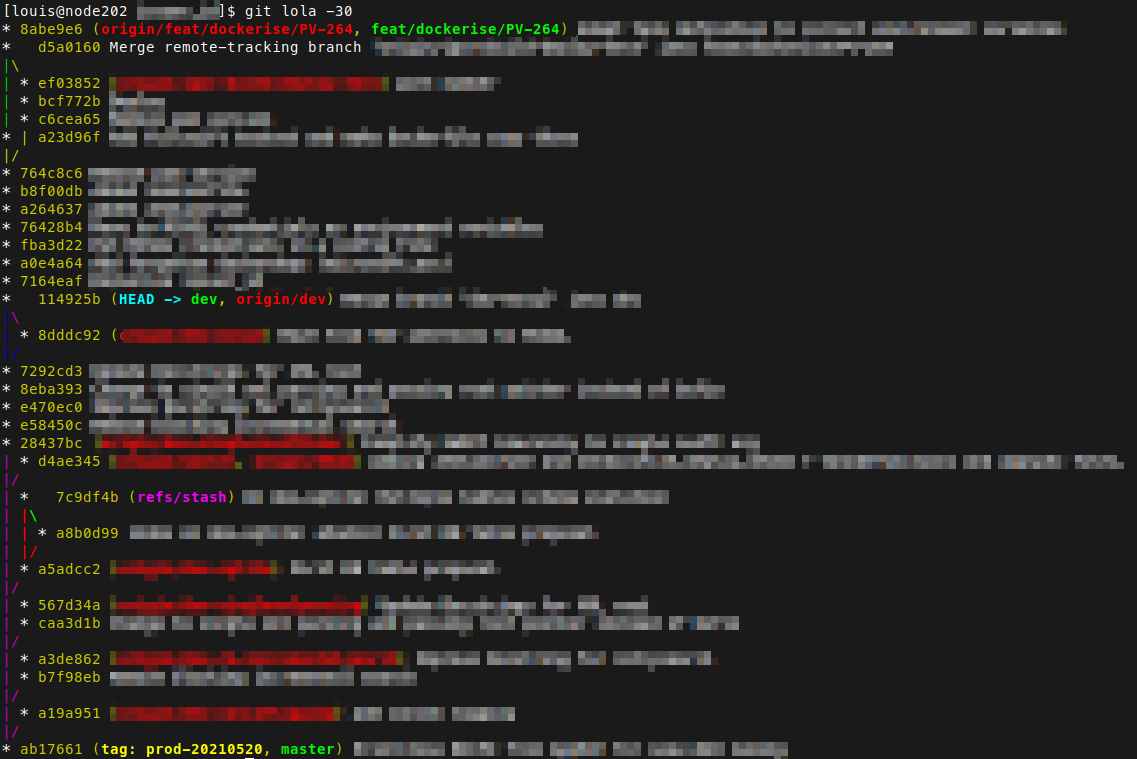
That’s it, no GUI, no webUI, just plain git log, which means you can also use other git log features !
Don’t take my word for it, look up, the example uses -30 (short for
--max-count=30) to display only the last 30 commits. Any other commit
limiting would work too, --author, --since, and --grep for instance.
You can also customise the information displayed by the aliases by
replacing --oneline with a pretty format.
Add them to your gitconfig through
$ git config --global --edit
or directly with
$ vi ~/.gitconfig # swap vi for any editor you want
But most importantly, pass them along to anyone who might like them.
⍝The original aliases used
--pretty=oneline --abbrev-commitwhich I replaced by its shorthand--oneline, the meaning remains the same.